What Is a 3D Printer Nozzle Brush?
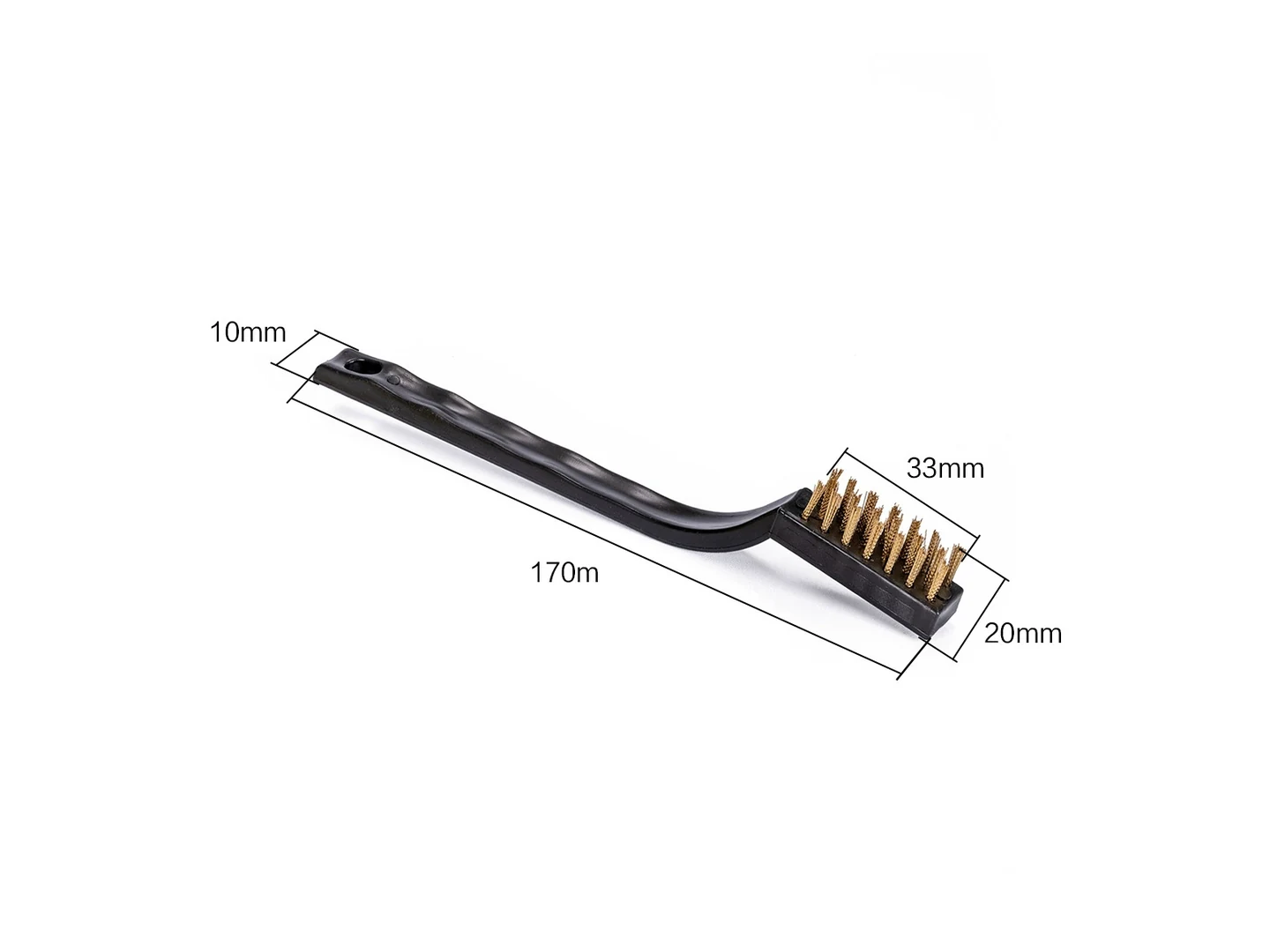
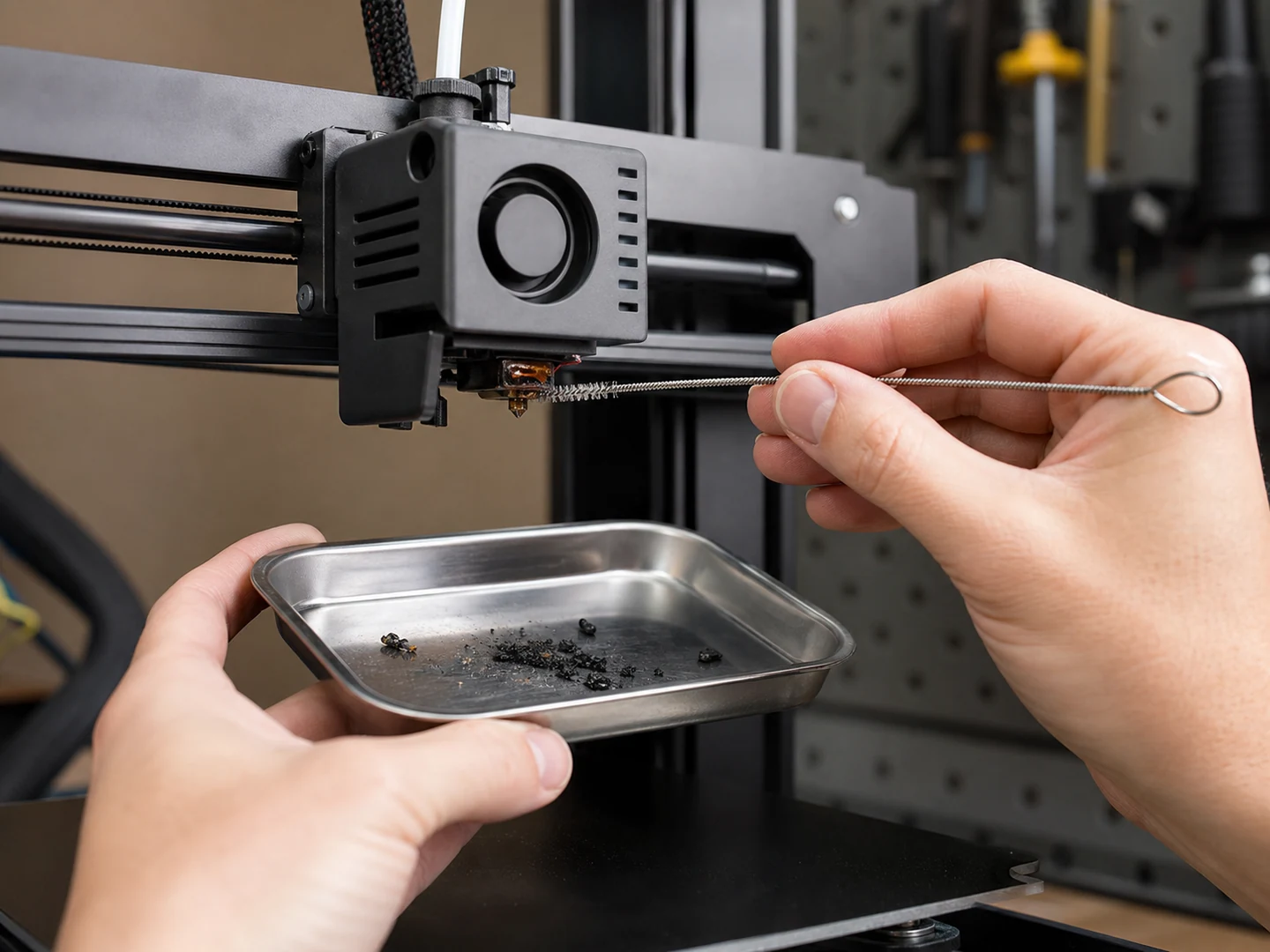
A 3D printer nozzle brush is a small cleaning tool, typically a brass or nylon bristle brush, designed to remove residual filament, dust, and burnt plastic from the nozzle exterior. In many printers, a mounted version (often called a scalp brush) is positioned near the bed so the nozzle can be wiped automatically before each print. This mechanical wiping is part of the start-up routine and helps prevent first-layer adhesion issues caused by debris. Manual brushing remains common for deeper cleaning during maintenance.
For industrial parts-cleaning process selection, contaminant classes, mechanical cleaning systems, and residue removal, this article cites ASM International — Choosing a Cleaning Process, ASM International, 1996; contaminant classes and mechanical cleaning process selection.
For thermoplastic material families and property variation, this article references British Plastics Federation — Thermoplastics.
For hot environment and heat exposure context, this article references OSHA — Heat Exposure.
For PPE hazard assessment and workplace protection, this article references OSHA — Personal Protective Equipment.
For brush construction terminology, filament/backing/stem terms, this article references American Brush Manufacturers Association — Brush Lingo.
Common Brush Types for Nozzle Cleaning
Not all nozzle brushes are the same. Choosing the right one depends on your nozzle material, the type of residue, and how you intend to use it. The main options are:
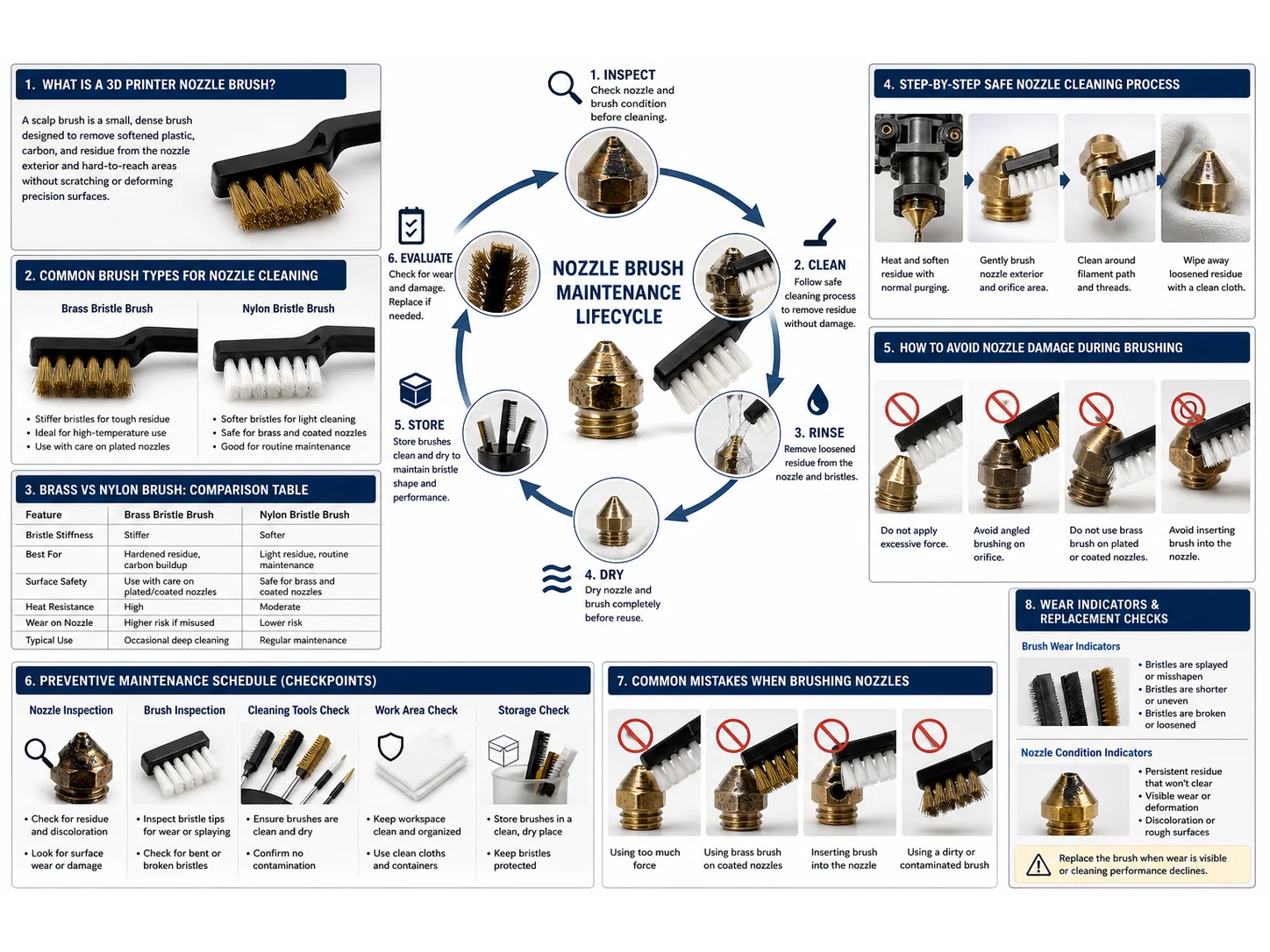
- Brass Wire Brush – Metal bristles provide aggressive cleaning for baked-on, carbonized filament. Available in different stiffness grades. Often used in mounted scalp brush systems.
- Nylon Brush – Soft plastic bristles that are safe for all nozzle materials. Best for light residue and frequent wiping, but may not remove stubborn buildup.
- Mounted Scalp Brush (Brass or Nylon) – A fixed brush attached to the printer frame. The nozzle rubs against it during a programmed wiping move, automating external cleaning.
- Silicone Socks & Wipers – Not brushes, but often used alongside brushes. A silicone sock reduces plastic sticking to the nozzle, minimizing the need for intensive brushing.
Brass vs Nylon Brush: Comparison Table
| Feature | Brass Wire Brush | Nylon Brush |
|---|---|---|
| Cleaning Power | Aggressive; removes baked-on, carbonized residue | Gentle; ideal for light buildup and frequent wiping |
| Risk of Nozzle Damage | Moderate on soft brass nozzles; low on hardened steel | Very low; safe for all nozzle types |
| Best Use Case | Stubborn residue on wear-resistant nozzles | Regular maintenance and gentle automated wiping |
| Durability | Long-lasting, but bristles may eventually deform or shed | Shorter life, especially at high temperatures |
| Temperature Limit | Withstands typical printing temperatures without issue | Can soften or melt if exposed to excessive heat (check nylon grade) |
| Typical Mounting | Common in off-the-shelf scalp brush modules | Used in some lightweight wiper designs and manual tools |
Step-by-Step Safe Nozzle Cleaning Process
Whether using a manual brush or a mounted setup, following a consistent procedure prevents nozzle damage and ensures effective cleaning.
- Heat the Nozzle – Bring the hot end to printing temperature for the last filament used (typically 200–250°C). This softens any residue.
- Select the Right Brush – Choose a nylon brush for routine wiping or a brass brush only if there is hardened residue and your nozzle material can handle it.
- Stroke Away from the Orifice – Gently brush in a downward direction, pulling debris away from the nozzle tip. Avoid pushing residue back into the nozzle hole.
- Use Light Pressure – Let the bristles do the work. Heavy force can bend the nozzle or damage thermistor wires.
- Mind the Wires – Keep the brush clear of heater cartridge and thermistor cables to avoid snagging or tearing.
- Purge Filament – After brushing, extrude a small amount of filament to flush away any loosened particles.
- For Mounted Brushes – Verify the wiping G-code routine moves the nozzle across the brush at the correct height and speed. Adjust if the nozzle is not making good contact or is bending excessively.
How to Avoid Nozzle Damage During Brushing
Nozzle damage from brushing usually comes from three things: wrong brush material, too much force, or ignoring the nozzle’s condition. Follow these precautions:
- Use a nylon brush for soft brass nozzles unless buildup is extreme. Even then, consider a brass brush with very fine bristles.
- Never use a steel wire brush—it will easily scratch even hardened steel nozzles and alter the opening geometry.
- Brush at operating temperature; cold residue is harder and demands more force, increasing the risk of bending the nozzle or damaging the heater block.
- Inspect the brush regularly. A worn brush with broken or bent bristles can scratch the nozzle surface or leave metal debris.
- If your printer has a silicone sock, replace it when torn to reduce external buildup, lessening the need for aggressive brushing.
Preventive Maintenance Schedule
Incorporate nozzle brushing into a simple schedule to avoid unexpected print failures:
| Frequency | Action |
|---|---|
| Every print start (if using mounted brush) | Let the printer’s automatic wipe routine run. Visually check for debris. |
| Every 20–50 print hours | Manual gentle wipe with a nylon brush while the nozzle is hot. Inspect for buildup. |
| Every 100–200 print hours or when switching filament types | Thorough cleaning with a nylon or fine brass brush. Check the nozzle exterior for damage. |
| When print quality drops (stringing, blobs) | Perform a more aggressive exterior clean. If problems persist, consider cold pulling for interior clogs. |
Common Mistakes When Brushing Nozzles
- Using a steel brush – Hard steel bristles will score the nozzle tip and change its effective diameter, ruining print accuracy.
- Brushing a cold nozzle – Requires more force and risks breaking the nozzle off at the heat break.
- Neglecting to purge – Loose debris left after brushing can get pulled into the melt during the next print, causing partial clogs.
- Forgetting the silicone sock – A missing or torn sock leads to faster external buildup, making cleaning more frequent and aggressive.
- Applying heavy lateral force – This can bend the entire hot end assembly, misaligning the nozzle from the print surface.
When Brushing Isn’t Enough: Cold Pulling as a Better Alternative
Brushing only cleans the exterior. If your nozzle suffers from internal clogs, inconsistent extrusion, or filament that has degraded inside the hot end, a cold pull (also called atomic pull) is the correct procedure. Cold pulling uses controlled heating and cooling to pull out charred material from inside the nozzle.
Consider cold pulling when:
- You see no external residue but still have extrusion problems.
- The nozzle has been sitting hot and idle for a long time, cooking the filament.
- Switching between materials with significantly different temperatures (e.g., PLA to PETG).
- Brushing the exterior does not restore print quality.
For severely damaged or worn nozzles, replacement is the only reliable fix. Regular external cleaning combined with periodic cold pulls will maximize nozzle life and print consistency.
Final Takeaway
An effective 3d printer nozzle brush process balances cleaning effectiveness with care for the nozzle. For most routine maintenance, a soft nylon brush used at printing temperature is sufficient and safe. Reserve brass brushes for stubborn deposits on hardened nozzles, and always brush gently away from the orifice. Integrate brushing into a preventive schedule, and recognize when a cold pull is the right next step. With the right approach, nozzle cleaning becomes a quick, damage-free habit that keeps your prints sharp.
Frequently Asked Questions
Can I use a regular wire brush from the hardware store?
It is not recommended. Common wire brushes often use steel bristles that are too hard and can scratch the nozzle, alter its opening, or leave behind ferrous debris. Stick to brushes specifically designed for 3D printer use, or at least brass/nylon materials.
What size brush is best for a 0.4 mm nozzle?
Brush size is less critical than material and technique. A small brush (10–15 mm wide) with fine bristles works well. For manual cleaning, toothbrush-sized nylon brushes are popular. For mounted brushes, ensure the bristle contact area covers the nozzle tip without interfering with the heater block.
Will a brass brush damage a hardened steel nozzle?
Hardened steel is much harder than brass, so a brass brush is unlikely to cause damage. However, heavy pressure over time can still leave micro-scratches. A nylon brush is always the safer choice unless heavy carbonized residue demands brass.
Is it safe to brush a nozzle while it is at printing temperature?
Yes, it is both safe and recommended. The heat softens plastic residue, making it easier to remove with light pressure. Always exercise caution around the hot parts and keep the brush away from wiring.
How often should I replace a nozzle cleaning brush?
Replace the brush when bristles become permanently bent, matted, or start shedding. For mounted brushes used in every print start, expect to replace them every few months depending on usage. Nylon brushes wear faster than brass under high temperatures.
Can I clean a nozzle without heating the printer?
It is not advisable. Cold residue is hard and may force you to use excessive force, risking nozzle or hot end damage. Always heat the nozzle to soften the filament before manual brushing.
Does using a scalp brush affect print quality?
Properly set up, a scalp brush improves print quality by reducing first-layer defects caused by oozing plastic or debris. If the brush is misaligned or too stiff, it can knock the nozzle out of alignment. Regular checks and gentle wiping routines keep it beneficial.
What is the difference between a scalp brush and a regular brush?
A scalp brush typically refers to a brush mounted permanently on the printer frame. It is integrated into the start G-code for automatic nozzle wiping. A regular brush is handheld and used during manual maintenance.