
Custom Cleaning Brush
Scanner Optics Cleaning Brush
Static-dissipative scanner cleaning brush for optical surfaces, image sensors, ADF rollers, and printer optics. Microfiber, PBT, or conductive nylon.
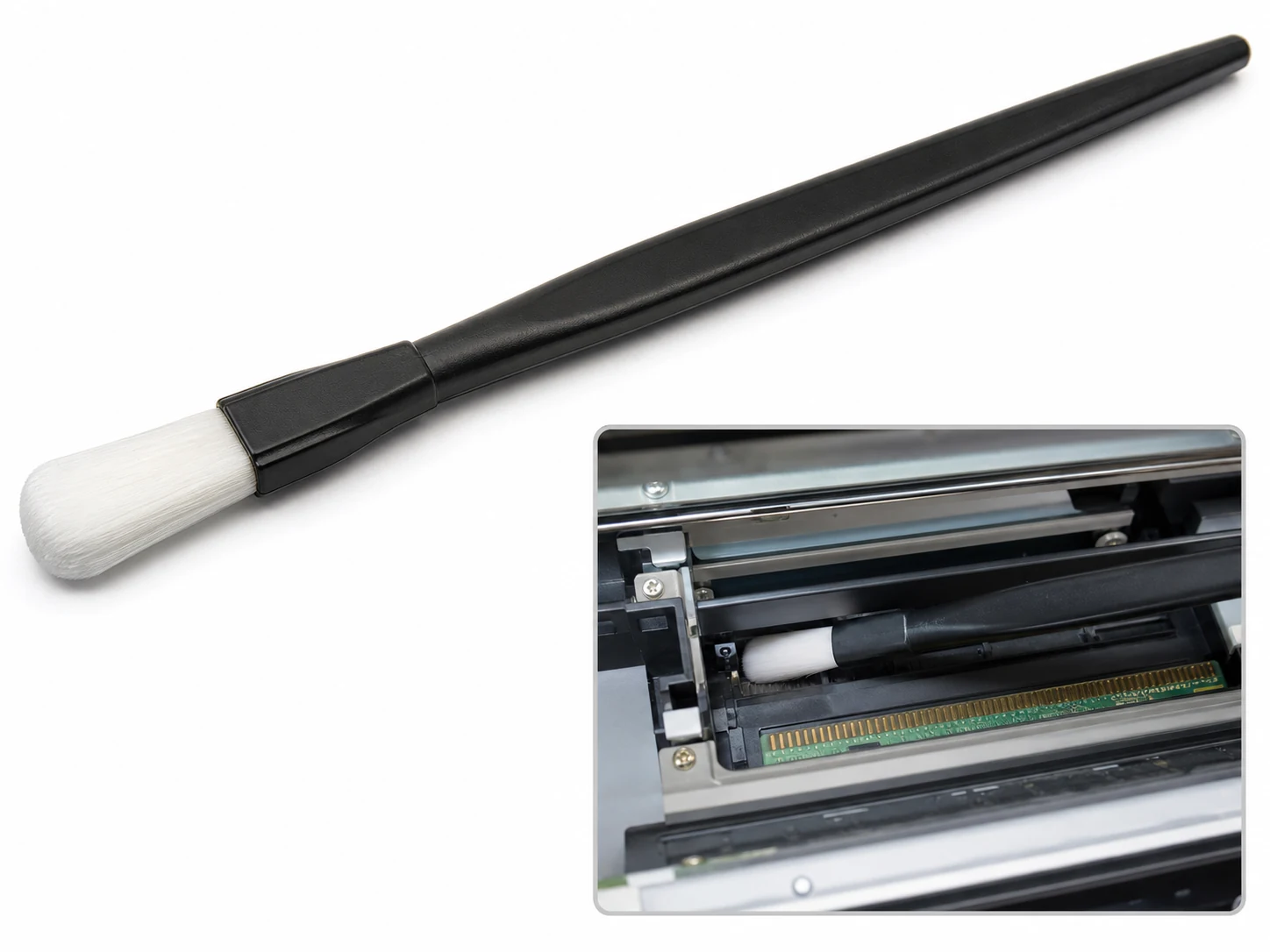
Medium brush
100 pcs
Minimum order
Worked with two hands or on a pole: chimney, gutter and pond-filter brushes, discs, cups and tank brushes.
Production lead time, once the specification is confirmed
- Up to 100 pcsWithin 7 days
- 101–5,000 pcsWithin 14 days
- 5,001–50,000 pcsWithin 21 days
- Over 50,000 pcsConfirmed with your quotation
Peak season can extend these times; the shipping date is confirmed in writing with your quotation. Sampling and shipping are quoted separately.
A static-safe cleaning brush built for scanner optics, image sensors, and other precision electronic surfaces that must stay free of lint, dust, and microscopic residue. It combines controlled contact geometry with ESD-dissipative filaments to remove contamination without scratching or charging the surfaces it touches.
What can this brush do for you?
Removes Dust and Lint Without Adding More
Microfiber filaments trap fine particles instead of pushing them around, and the low-linting construction leaves no fiber strands on optical surfaces. This matters on scanner glass, CIS modules, and laser mirrors, where a single stray fiber can show up as a line artifact in the scanned image.
Prevents ESD Damage During Cleaning
Conductive nylon or static-dissipative microfiber filament blends keep surface resistance in the 10^3–10^9 ohm range, so the brush does not build up a charge that could damage CMOS sensors, laser diodes, or other static-sensitive components. The brush itself becomes the ground path instead of the hazard.
Reaches Places a Cloth Cannot
Thin heads from 2 mm thick and narrow cleaning widths from 5 mm fit into the gap between a platen and its frame, around ADF sensors, and into slot-based optical paths without forcing or bending components. The brush follows the contour instead of jamming the mechanism.
Matches Your Existing Cleaning Motion
Swab-handle format for manual service, cleaning-sheet format for wipe-style maintenance, roller-shaft format for rotating drive use, or holder format for automated equipment. The same contact material can be applied across different interfaces so the cleaning result stays consistent.
Built for One Job: Controlled Residue Removal
Brushes for general cleaning will scatter dust or leave fibers. This brush is designed around scanner optics and precision electronics, so filament stiffness, density, and geometry are selected for contaminant types like paper dust, toner, polishing particles, and flux residue.
What is a Scanner Optics Cleaning Brush?
A Scanner Optics Cleaning Brush is a low-linting, static-dissipative cleaning tool designed to remove microscopic contamination from optical end faces, sensor arrays, mirror surfaces, and other precision components inside scanners, printers, copiers, and imaging systems. It is not a general-purpose maintenance brush; it is sized, stiffened, and material-matched for low-force contact on surfaces where scratches, fiber shedding, or electrostatic discharge would cause image defects or component failure.
In practice, the brush may be used by service technicians during preventive maintenance or by production operators during assembly and final inspection. It contacts the cleaned surface with controlled pressure and clears loose particles, dust attracted by static, light oxide film, and soft process residues. Depending on the configuration, it can be a hand-held tool, a replacement roller for an existing cleaning station, or a consumable head on automated equipment.
The brush works because its contact material and geometry are matched to the surface. Microfiber picks up fine dust without smearing; PBT filament provides a more aggressive scrubbing action for stubborn particles; conductive nylon keeps the brush itself at a controlled resistance so it will not generate a static charge. The head thickness and working width determine how the brush enters a housing or follows a profile, while the interface determines how the operator or machine drives it.
This is not a brush for removing baked-on toner deposits, heavy grease, or abrasion damage. It is for precision cleaning where the goal is to remove the contamination without altering the surface being cleaned, and without creating a new contamination source from the tool itself.
Technical Specifications
The table below lists the parameters we use to define a Scanner Optics Cleaning Brush for a given application. Values are shown as project ranges because the brush is configured to the scanner model, sensor type, and cleaning procedure rather than sold as a single fixed size.
| Parameter | Typical Range / Options |
|---|---|
| Cleaning width | 5–350 mm, selected to cover the target strip in one pass where possible |
| Head thickness | 2–20 mm, matched to insertion gap and component clearance |
| Overall length | 100–400 mm, adjusted for operator reach or machine stroke length |
| Roller diameter (roller type) | 10–50 mm, selected for ADF rollers, drive shafts, or rotary cleaning stations |
| Contact material | Microfiber, PBT filament, conductive nylon, or engineered blends |
| Interface | Swab handle, cleaning sheet, roller shaft, or custom holder |
| ESD resistance | 10^3–10^9 ohms, specified when electrostatic discharge protection is required |
| Contact setting | Brush contact width and pressure set to match the original working surface, keeping 0.5–2.0 mm clearance from housings and sensors |
| Filament / fabric density | Low, medium, or high density, depending on debris size and surface sensitivity |
| Handle material | ABS, PP, stainless steel, or project-specified plastic |
| Brush type | Custom Handheld Detail Brushes |
| How it is driven | Machine-driven, mounted in the equipment |
| Cleaning target | flatbed scanner maintenance, automatic document feeder roller and sensor, and laser printer and copier optic cleaning |
| Surface or part | roller, housings, glass, slots, guides, gaps, precision housings, and profiles |
| Residue or debris | dust, particles, lint, fiber, toner, oxide, heavy grease, and flux |
| Mounting / connection | Swab handle, cleaning sheet, roller shaft, or custom holder |
All dimensions and material selections are adjustable per project. We typically confirm the exact values after receiving the target component drawing, the contaminant type, and the required ESD specification.
Where does this brush work best?
- Flatbed scanner maintenance: cleaning the underside of the glass platen, reflective mirrors, and the contact image sensor (CIS) module without leaving streaks or fibers.
- Automatic document feeder (ADF) rollers and sensors: removing paper dust, lint, and toner transfer that cause misfeeds or false jam detection.
- Laser printer and copier optics: cleaning polygon mirror surfaces, LED print heads, and photoconductor surroundings where a charged brush would attract more particles.
- Machine vision cameras and lenses: dusting sensor cover glass, lens barrels, and filter threads during field service or production inspection.
- Film and slide scanners: cleaning film guides, light sources, and the narrow slots where lint or emulsion particles collect.
- Semiconductor and laboratory instruments: static-sensitive optical modules, spectrometer apertures, and precision housings that require controlled contact and no fiber shedding.
How do I choose the right one?
Start with the surface you are cleaning and what is on it.
- For dust, lint, or static-attracted particles: choose microfiber. It picks up particles faster than it pushes them, and it leaves no visible fiber residue on glass or coated optical surfaces.
- For light oxide, flux residue, or polishing particles: choose PBT filament. It provides more mechanical action while still being safe for most scanner optics and metal guides. Avoid PBT on very soft or easily scuffed plastic lens elements.
- For ESD-sensitive components: choose a conductive nylon or static-dissipative microfiber blend, and specify the resistance range (typically 10^3–10^9 ohms). The brush should be grounded or handled with ESD-safe procedures during use.
Then define the access geometry.
- Measure the gap or slot where the brush must enter. Head thickness must be less than that gap, with enough clearance to avoid rubbing against adjacent housings or sensor surfaces. The recommended clearance is 0.5–2.0 mm from any fixed surface.
- Determine the cleaning width. For narrow slots and edge cleaning, 5–20 mm is common. For wide platen or roller surfaces, 50–350 mm provides full-strip coverage. If the brush is mounted in a rotating mechanism, confirm that the roller diameter matches the existing drive shaft or bearing.
- Set the overall length so the operator can hold the brush comfortably without touching the working head, or so the automated fixture has enough stroke to bring the brush across the target path.
Match the interface to your cleaning process.
- Manual service: swab handle or short wand.
- Production line: cleaning sheet or holder designed for a fixture; roller shaft for rotary motion.
- Robotic cleaning: custom mount dimensions and alignment features supplied on your drawing.
Select the cleaning pressure by filament density and stiffness. Dense, short filaments apply more aggressive contact for stubborn particles; sparse, longer filaments are gentler and better for soft optics. If the residue is baked-on toner, glue, or heavy grease, this brush is not the right tool—use a solvent with a compatible lint-free wipe or a more aggressive brush specifically rated for the surface, followed by a final pass with this brush to remove any remaining particles.
Can I customize this brush?
Yes, scanner optics cleaning brushes are built to the specific component and cleaning procedure. For a new project, provide the following information:
- Target component: scanner model, sensor type, or drawing of the surface to be cleaned.
- Access dimensions: width, gap, depth, and any curved or stepped features the brush must follow.
- Contaminant: dust, lint, oxide, flux, toner, or other particles; include size or particle description if known.
- ESD sensitivity: required resistance range and whether the brush must be grounded.
- Cleaning motion: manual, linear, rotary, or robotic; stroke length and speed.
- Operating environment: cleanroom class, temperature, chemical exposure if any.
Based on this, we can adjust:
- Contact material and blend: microfiber, PBT, conductive nylon, or a combination. Filament density, length, and stiffness can be tuned.
- Head geometry: cleaning width, head thickness, profile shape (flat, contoured, tapered), and any detail tip for corners or slots.
- Overall size: from small 100 mm hand tools to 400 mm machine-mounted heads.
- Interface: handle, shaft, mounting holes, clamping features, or quick-change hub.
- Color and marking: custom color, pad print, laser marking, or identification coding for stock control.
- Packaging: bulk, individual poly bags, cleanroom-compatible packaging, or kit forms with replacement heads.
If your project requires material documentation, ESD verification reports, or third-party cleanliness testing, we can support those requirements during customization. The brush itself is supplied as a mechanical cleaning tool; any certification or regulatory compliance must be defined and validated against your specific use case.
How long does a scanner optics cleaning brush last, and how is it cleaned between runs?
How can I tell if the brush leaves fibers on the scanner glass?
After cleaning, inspect the surface with a bright oblique light or a UV inspection lamp. Run a clean, white, lint-free wipe across the cleaned area and examine it under magnification. If you see any transferred fibers, the brush material, density, or cleaning pressure needs adjustment. A properly configured scanner optics cleaning brush should remove more fibers than it adds.
Can this brush be used to clean a CMOS or CCD image sensor directly?
It can be used on the sensor cover glass if the contact material is soft microfiber or similarly non-abrasive, and the brush is static-dissipative or conductive to avoid charge build-up. Never use PBT or a stiffer filament directly on an exposed sensor die or on an uncoated image sensor surface, because the risk of microscopic scratching is too high. For bare sensor dies, use a specialized sensor swab or follow the sensor manufacturer’s cleaning procedure.
Is the brush washable or reusable?
Most microfiber and conductive nylon configurations can be gently washed with a mild, residue-free detergent and dried thoroughly before reuse. PBT filament brushes can usually be rinsed or air-blasted. However, brush reuse lifetime depends on contamination load; once fibers become matted, discolored, or no longer recover their shape, the brush should be replaced. For cleanroom use, we recommend starting with a fresh brush and validating a replacement schedule rather than relying on washed brushes.
Does the brush need to be grounded during use?
If the brush is specified with an ESD resistance range and used on static-sensitive components, it should be connected to a common ground through the operator’s wrist strap, a mounted holder, or a grounding lug, depending on the interface design. An ungrounded conductive brush can itself become a charged object if it rubs against an insulating surface. Confirm the grounding method with your ESD coordinator before putting the brush into production.
What is the difference between a brush head and a pre-saturated cleaning swab for scanner optics?
A pre-saturated swab carries a cleaning solvent or deionized water and is typically used for spot cleaning of a small area with a contamination-following action. A scanner optics cleaning brush is dry and designed to remove loose particulate across a wider strip or slot without leaving liquid residue. Many service procedures use both: first remove loose dust with the brush, then use a pre-saturated swab for any remaining film or smear. If liquid cleaning is required, confirm that the brush material is compatible with the solvent before saturating it.
How do I know when to replace the brush instead of cleaning it?
Replace the brush if you see any of the following: flattened or permanently bent filaments that no longer stand up, visible discoloration from toner or chemical exposure, fibers that break off easily when the brush is flexed, or a measured surface resistance that has moved outside its specified ESD range. Any of these conditions means the brush has lost its cleaning ability or its static control, and continued use may add contamination instead of removing it.
Guides that go deeper on this
We have not written a guide specific to this one yet. The material that covers selection, filament, dimensions, maintenance and sourcing is collected in the technical resources library.
RELATED BRUSH RESOURCES
Recommended Reading & Related Brush Resources

Custom Handheld Detail Brushes
Choose a handheld detail brush when you need direct control in seams, recesses, fittings,…
See how this type is built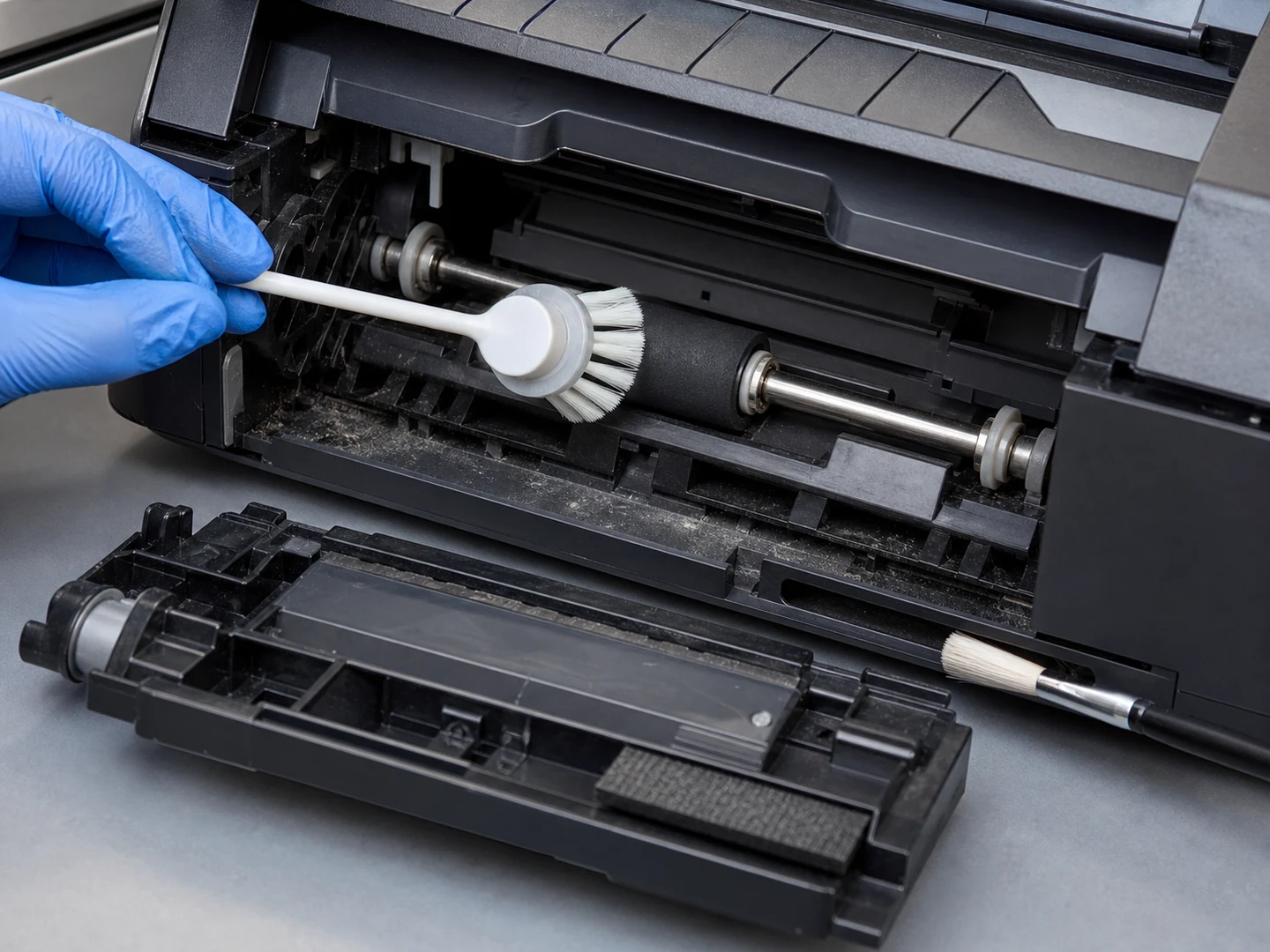
Printer & Scanner Cleaning
For Printer & Scanner Cleaning, the brush must reach the working area, disturb or…
See the cleaning job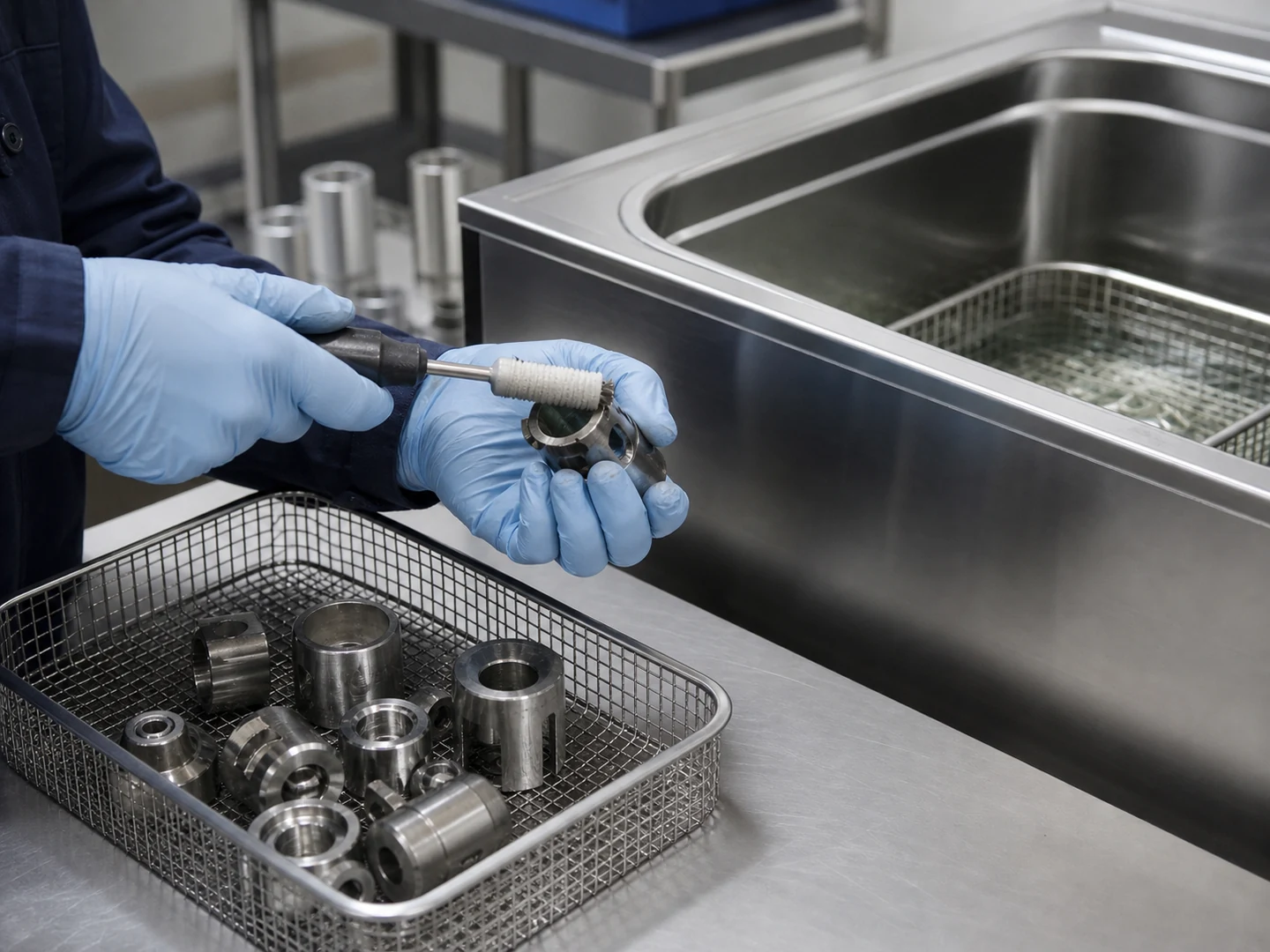
Ultrasonic Cleaning Machine Brush Assistance
For Ultrasonic Cleaning Machine Brush Assistance, the brush must reach the working area, disturb…
See the cleaning job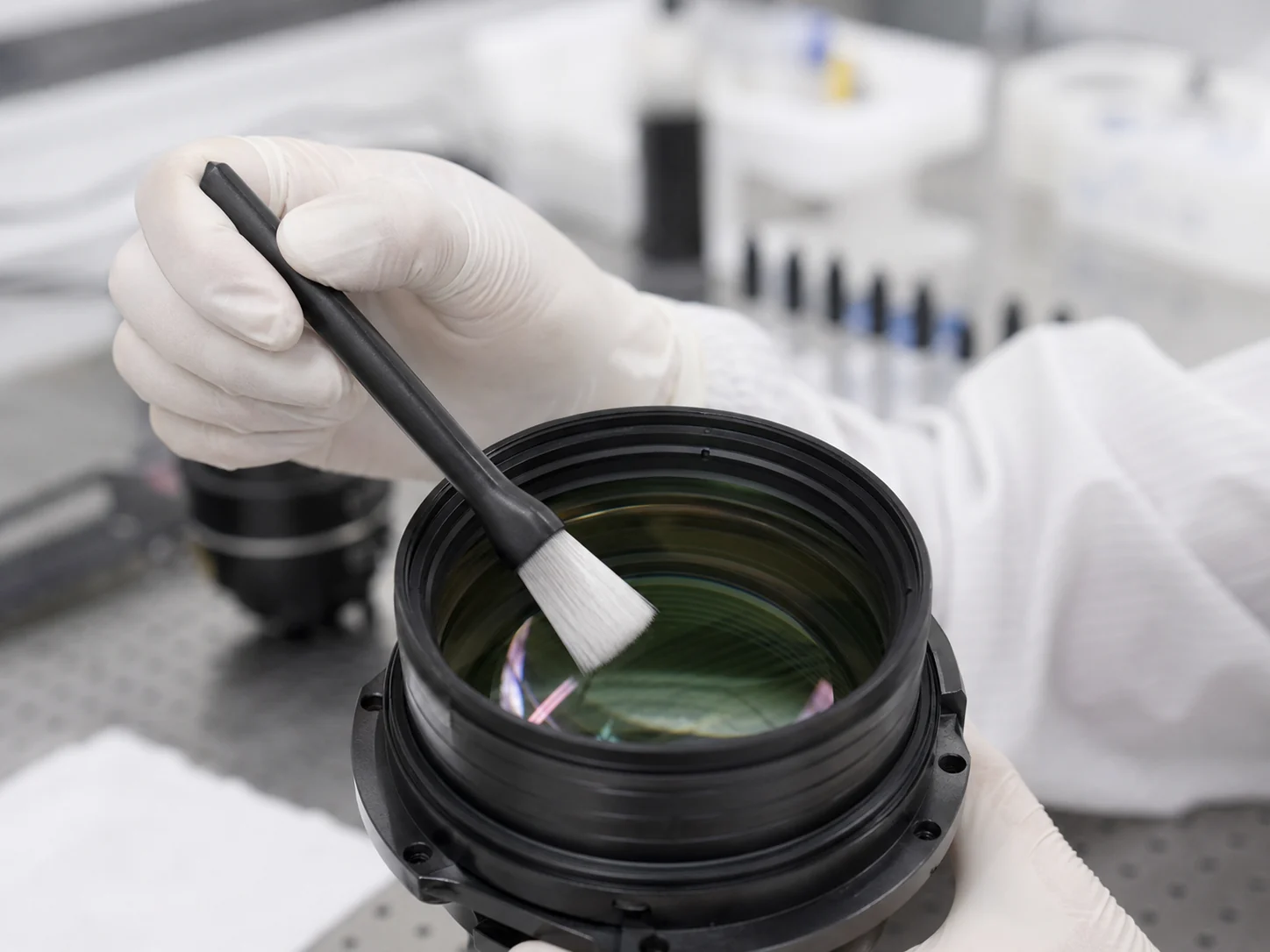
Optical Lens Surface Dust Removal
For Optical Lens Surface Dust Removal, the brush must reach the working area, disturb…
See the cleaning jobCustom Manufacturing RFQ
Describe Your Application
Please include the main sizes, application, residue, preferred material, interface, quantity, and any drawing or sample available.
Drawing or photo optional — it speeds things up, it does not gate the enquiry.
Custom Brush RFQ
Send Your Brush Project
Upload a drawing, product photo, or sample photo and provide the core dimensions and cleaning conditions.
“We need a brush to remove wet residue from a stainless steel conveyor, about 800mm wide. The current brush wears quickly. We can send photos.”
“We sell drinkware and need a cleaning brush to include with the product. Quantity around 5,000 pieces.”