
Custom Cleaning Brush
Printer Cleaning Brush
Custom Nylon PA printer cleaning brush for platens, vacuum holes, ink grooves, and paper-path dust. Choose trim length, filament diameter and head width.
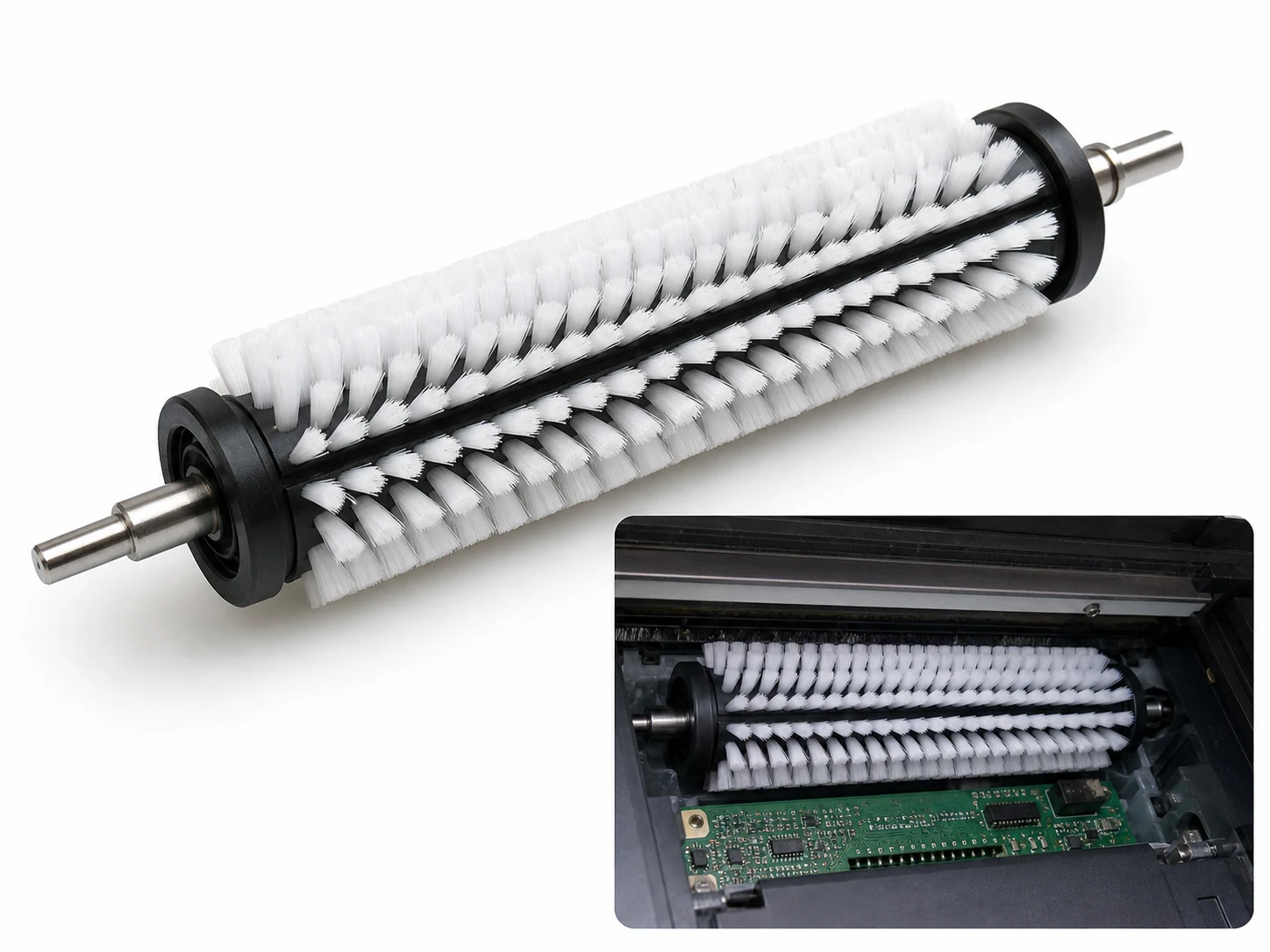
Small brush
500 pcs
Minimum order
Held in one hand: tube, bottle, detail and swab brushes — including long-handled ones with a small head.
Production lead time, once the specification is confirmed
- Up to 500 pcsWithin 7 days
- 501–50,000 pcsWithin 14 days
- Over 50,000 pcsWithin 21 days
Peak season can extend these times; the shipping date is confirmed in writing with your quotation. Sampling and shipping are quoted separately.
A precision Nylon PA brush that clears paper chaff, dust, and dried ink from printer platens, vacuum-hole plates, borderless-printing grooves, and paper-path surfaces. The narrow head and short trim reach into small openings while the fine filament tips remove loose debris without scratching rollers, belts, or sensor windows.
What can this brush do for you?
Clears vacuum holes and ink-absorption grooves without packing debris deeper
Platen plates and vacuum hold-down surfaces often contain rows of small holes and shallow channels where paper dust and ink residue collect. A cloth or foam swab tends to push that material further into the opening. The 0.05–0.20 mm nylon filaments enter the hole, flex around the residue, and lift it out on the return stroke. Fewer blocked holes mean more consistent media hold-down and fewer skipped positions.
Removes dried ink from borderless-print gutters without sharp-edge scrapers
Borderless printing deposits ink overspray in platen gutters and absorber channels where it dries into a film. Nylon PA holds its shape when the tips are slightly dampened with isopropyl alcohol or a mild water-based cleaner, so the brush loosens the film chemically and mechanically. The bristles follow the gutter corners and bottom without gouging the plastic or wearing away the channel edges.
Lifts paper chaff and dust from rollers, guides, and sensors
High-volume paper paths build up paper chaff, roller dust, and loose toner or ink particles on registration rollers, separation pads, exit guides, and sensor flags. Fine nylon tips pick the particles out of knurled roller surfaces, narrow guide slots, and sensor pockets while leaving rubber and coated surfaces unmarked. Operators can clean more of the path with less disassembly.
Reaches through access openings on desktop and wide-format machines
The 100–300 mm overall length and 10–50 mm head width allow the brush to work through open covers, around carriages, and inside deep platen frames. A straight, angled, or bent handle can be matched to the service position so the technician keeps a natural wrist angle while reaching the rear of the machine.
What is a Printer Cleaning Brush?
A Printer Cleaning Brush is a hand-guided maintenance brush that uses a formed band of fine Nylon PA filaments to remove particulate and solvent-softened deposits from a printer’s paper path, platen, vacuum plate, and ink-collection features. It is not a general utility brush or a printhead cleaning tool. The head width, short trim, and filament diameter are selected specifically for the small gaps and precision surfaces inside printing equipment.
In use, the technician works dry to lift paper dust, chaff, and loose toner or ink particles, or lightly dampens the tips with isopropyl alcohol or a mild detergent to soften dried water-based ink. Strokes are made along grooves, across hole rows, and away from sensitive components. The design priority is contact without damage: enough stiffness to dislodge the residue, and enough give to avoid marking rubber rollers, coatings, and guide surfaces.
The brush is a preventive-maintenance tool. It removes contamination that causes misfeeds, banding, dropped vacuum, and sensor errors, but it does not replace vacuuming, printhead flushing, or replacement of worn rollers and ink absorbers.
Technical Specifications
The table shows the standard design range. Values are project-selectable. For ordering, the priority dimensions are head width, trim length, filament diameter, and overall length, matched to the actual access opening and residue.
| Parameter | Value / Options |
|---|---|
| Head width | 10–50 mm, selected for the vacuum-hole row or groove width |
| Brush section | 20–100 mm of filled bristle area |
| Overall length | 100–300 mm, matched to machine depth and handle preference |
| Trim length | 5–20 mm; shorter for deep grooves and holes, longer for open platen surfaces |
| Filament diameter | 0.05–0.20 mm; finer for sensors and loose dust, heavier for dried ink film |
| Fill material | Nylon PA — PA6 or PA66; PA612 for repeated solvent exposure |
| Handle | PP, ABS, aluminum, or stainless steel; straight, angled, or bent by project |
| Ferrule / bond | Crimped stainless, molded plastic, or adhesive set; chosen for the cleaning solvent |
| Cleaning media | Dry, isopropyl alcohol, or mild water-based detergent; not for aggressive solvents unless the filament and handle grade are specified accordingly |
| Brush type | Custom Handheld Detail Brushes |
| How it is driven | Machine-driven, mounted in the equipment |
| Cleaning target | wide-format inkjet printer, multifunction printer and copier, and production print room cleaning |
| Surface or part | roller, holes, plates, grooves, plastic, gaps, gutters, and nozzles |
| Residue or debris | dust, chaff, toner, particles, carbonized deposits, loose debris, ink mist, and paper fibers |
| Mounting / connection | Snap-Fit / Quick-Change Coupling / Fixed |
The brush is designed for hand stroking. It is not intended to contact hot fuser surfaces and is not supplied as a powered rotary tool.
Where does this brush work best?
- Wide-format inkjet printers with vacuum hold-down platens: vacuum holes and borderless-mode ink gutters collect paper dust and ink mist that disrupt flat media hold-down.
- Desktop inkjet and laser printers: registration rollers, separation pads, exit guides, and sensor flags where paper chaff builds up after high-volume runs.
- Multifunction printers and copiers: paper-path guides, ADF rollers, and platen glass edges where dust and toner particles create scan defects or misfeed errors.
- Label and receipt printers: liner dust and paper fiber near peel bars, gap sensors, and cutter tracks where small debris causes misfeeds or false sensor readings.
- Production print rooms: scheduled preventive-maintenance kits where technicians use the same brush configuration across a mixed fleet to shorten downtime.
- 3D printer frames and build plates: loose plastic fragments and cooled material around extruder carriages and rails. Carbonized deposits on hotend nozzles should be removed with a metal brush after the nozzle has cooled.
How do I choose the right one?
Start with the smallest feature the brush must enter, not with the size of the machine. A head that is too wide will ride over vacuum holes instead of entering them. A trim that is too long will fold under pressure and smear the residue instead of scraping it.
| Cleaning job | Suggested configuration |
|---|---|
| Vacuum holes and narrow borderless-print gutters | 5–10 mm trim, 0.10–0.15 mm filament, 10–20 mm head width |
| Open platen and paper-path plates | 15–20 mm trim, 0.10–0.20 mm filament, 30–50 mm head width |
| Roller surfaces and paper chaff | 10–15 mm trim, 0.08–0.12 mm filament, angled or straight narrow head |
| Sensor pockets and encoder strips | 0.05–0.10 mm filament, light pressure, narrow head |
- Filament diameter sets the contact force. Finer filaments enter tighter gaps and are safer on coatings but carry less scrubbing force. Heavier filaments remove thicker dried ink film; test them on a coated strip before putting them into production use.
- Match the material to the cleaning chemistry. Dry dusting can use PA6 or PA66. If the same brush is dampened with isopropyl alcohol on every shift, PA612 and a stainless ferrule reduce premature breakdown.
- Choose the shortest overall length that reaches the job. Long handles improve access to deep platen frames, but every extra centimeter reduces tip control. The right length is the one that keeps the operator’s hand outside the machine with full control at the bristle band.
When another cleaning method is the better choice
- Carbonized toner or burnt-on plastic on heated metal parts: use a brass or stainless wire brush after the component has cooled. Nylon loses stiffness at elevated temperatures and cannot cut carbonized deposits.
- Loose toner spills or heavy paper dust: vacuum first with a toner-rated or ESD-safe vacuum. Brushing first can lift the powder into the air and push contamination deeper into the machine.
- Printhead nozzle plates: use lint-free swabs and the manufacturer’s flushing procedure. This brush is not made for the delicate nozzle face.
- Very narrow internal bores: choose a twisted-stem tube brush. A flat rectangular head cannot follow a circular bore.
Can I customize this brush?
Most printer cleaning brushes start from the user’s specific machine or maintenance manual. Send us the vacuum-hole diameter and row pitch, the groove width and depth, the smallest access opening, the required handle length, and whether the brush will be used dry or with a solvent. A photo of the platen and a short description of the residue are enough for a first fit.
- Head geometry: width 10–50 mm, brush section 20–100 mm, straight, beveled, rounded, or angled tip; single-sided or double-sided bristle fill
- Filament: Nylon PA6, PA66, or PA612; diameter 0.05–0.20 mm; trim length 5–20 mm; density and row pattern aligned to hole pitch or groove width
- Handle: length 100–300 mm, straight or bent, PP, ABS, aluminum, or stainless steel; knurled or overmolded grip; hanging hole
- Bonding: crimped stainless ferrule, molded plastic, or solvent-resistant adhesive set
- Identification: custom color, pad printing, laser marking, or sequential traceability code
- Packaging: bulk box, individual polybag, retail hook, or maintenance-kit format
If the maintenance program requires material declarations, inspection records, or third-party testing against your incoming inspection checklist, we can support those project requirements during customization.
How do you tell when a printer cleaning brush is worn out?
What should I check before using the brush inside a printer?
Look at the bristle band for loose, bent, or missing filaments, and confirm that the ferrule or molded bond is tight. Let any heated components cool before brushing, and clear obvious loose paper and toner with a vacuum first. If using solvent, dampen the tips lightly rather than wetting the entire head so liquid cannot drip into bearings or sensor housings.
Can I use isopropyl alcohol with this brush?
Yes. Standard Nylon PA is suitable for occasional IPA contact, but PA612 is the better choice when the same brush is dampened daily or used over long service intervals. Dampen, do not soak, and keep the handle and ferrule out of standing solvent unless they have been specified for that exposure.
How can I tell when the brush needs to be replaced?
Replace the brush when the filament tips lose their original lineup, when bristles shed, when the band stays flattened after use, or when the head no longer recovers its shape. If the ferrule is loose or the handle is cracked, pull the brush from service even if the bristles still look usable.
Does this brush work on the printhead nozzle plate?
No. The nozzle plate requires lint-free swabs and the manufacturer’s recommended flushing or wipe procedure. Brushing the nozzle face can bend or damage delicate plate surfaces and push debris into the nozzles. Keep the brush on the platen, vacuum plate, gutters, and paper path.
Can the brush remove carbonized deposits or burnt-on toner?
No. Nylon PA is the wrong material for carbonized or baked-on contamination. Use a brass or stainless steel brush after the part has cooled, and confirm that the metal surface can tolerate wire contact. This nylon brush is for loose particles, paper chaff, and dried, solvent-softened ink.
Is this brush ESD-safe for toner and electronic areas?
Standard Nylon PA is not inherently static-dissipative. In toner-heavy or electronics-adjacent areas, vacuum the loose powder first and request an ESD-dissipative filament or ESD-safe handle if your maintenance procedure requires controlled static dissipation.
Guides that go deeper on this
We have not written a guide specific to this one yet. The material that covers selection, filament, dimensions, maintenance and sourcing is collected in the technical resources library.
Custom Manufacturing RFQ
Describe Your Application
Please share the brush dimensions, working area, residue type, material direction, quantity, and a drawing or photo for quotation.
Drawing or photo optional — it speeds things up, it does not gate the enquiry.
Custom Brush RFQ
Send Your Brush Project
Upload a drawing, product photo, or sample photo and provide the core dimensions and cleaning conditions.
“We need a brush to remove wet residue from a stainless steel conveyor, about 800mm wide. The current brush wears quickly. We can send photos.”
“We sell drinkware and need a cleaning brush to include with the product. Quantity around 5,000 pieces.”