
Custom Cleaning Brush
Inkjet Nozzle Cleaning Brush
Custom inkjet nozzle cleaning brush with PBT or PTFE filaments, 2–6 mm tip, 100–150 mm length, for nozzle plate, cap station and wiper debris removal.
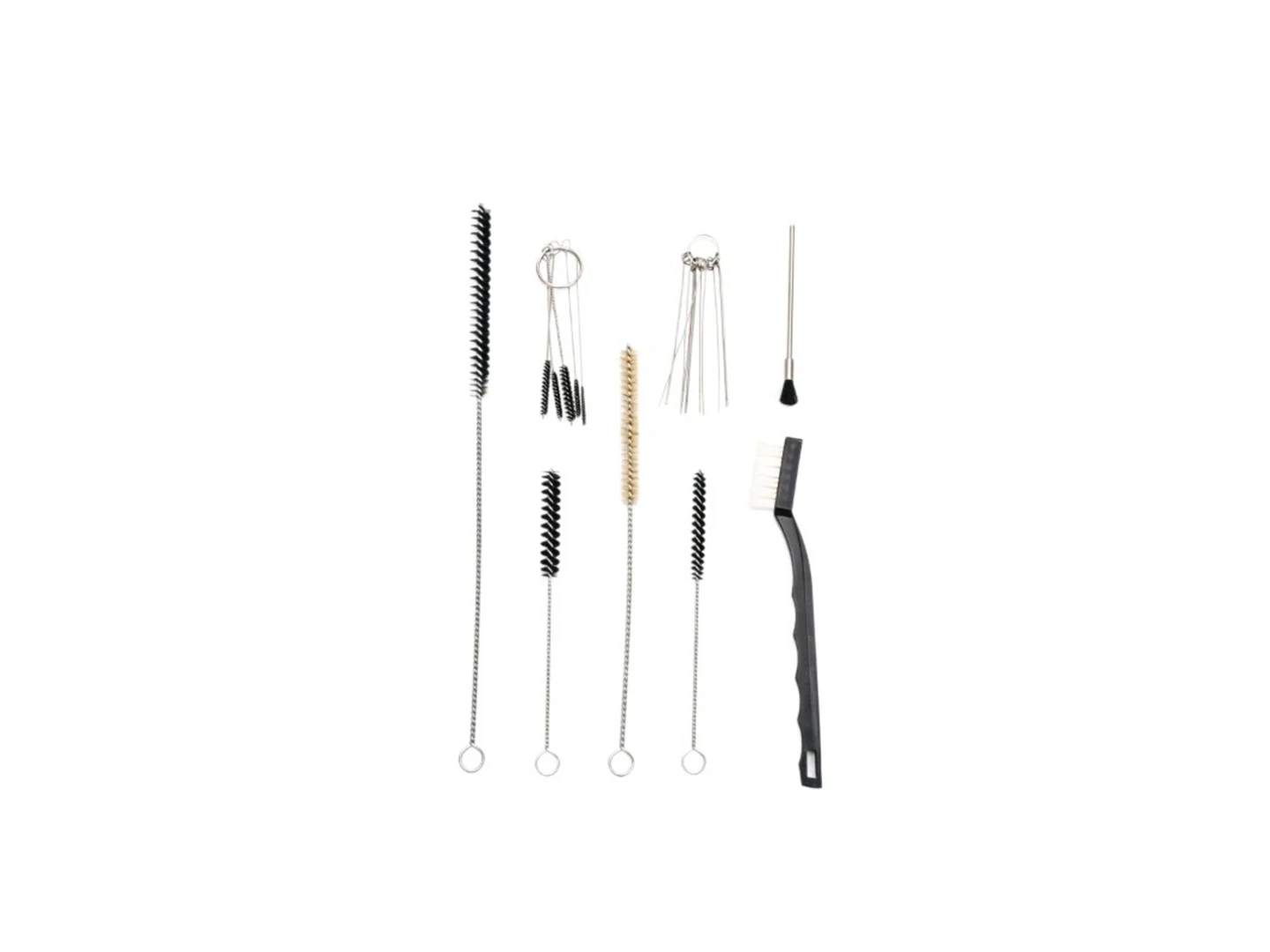
Small brush
500 pcs
Minimum order
Held in one hand: tube, bottle, detail and swab brushes — including long-handled ones with a small head.
Production lead time, once the specification is confirmed
- Up to 500 pcsWithin 7 days
- 501–50,000 pcsWithin 14 days
- Over 50,000 pcsWithin 21 days
Peak season can extend these times; the shipping date is confirmed in writing with your quotation. Sampling and shipping are quoted separately.
A precision inkjet nozzle cleaning brush for removing dried ink, dust, chips, and paper-fiber debris from printhead nozzle plates, cap stations, wiper blades, and adjacent printhead surfaces. PBT and PTFE filament options combined with a 2–6 mm tip diameter and 100–150 mm overall length deliver controlled, non-scratching contact in the tight maintenance areas of solvent, UV, and aqueous inkjet printers.
What can this brush do for you?
Reach the narrow gaps around nozzle plates without over-contact
The 2–6 mm cleaning tip and short trim length let the operator work between nozzle rows, around plate edges, and inside cap assemblies where a standard cleaning brush is too wide. You remove foreign matter from the exact maintenance area instead of spreading ink across the surrounding carriage.
Clean precision surfaces without scratching them
Fine-diameter PBT and PTFE filaments with rounded tips provide soft mechanical contact. Ink can be swept from coated nozzle plates, stainless carriers, and polymer capping surfaces with far less risk of micro-scratching than wire brushes or abrasive pads, which preserves print quality and extends printhead life.
Keep the tool itself from becoming a contamination source
PBT and PTFE are low-moisture, low-shedding materials that do not absorb ink or cleaning solvent into the filament body. The brush releases the debris it has picked up rather than holding it, and it introduces far fewer loose fibers to the nozzle plate than cotton swabs or general-purpose brushes.
Work safely with solvent, UV, and water-based ink chemistry
The fill materials are selected for chemical resistance across common printer cleaning fluids and ink types. PTFE performs well in aggressive solvent environments; PBT offers a stiffer filament with good compatibility for aqueous and mild solvent applications. The stem and adhesive are also matched to the solvent so the brush does not soften during use.
Hand-held or machine-mounted, as your maintenance process requires
Order the brush with an ergonomic handle for field service technicians, or with a plain core and ferrule so it can be installed in an automated wiping or cleaning station. The same filament head can be built into kits for OEM service tools and production maintenance lines.
What is an Inkjet Nozzle Cleaning Brush?
An inkjet nozzle cleaning brush is a small precision brush used during printhead maintenance to loosen and remove dried ink, ink mist, dust, paper fibers, and chips from the outer nozzle plate and the surrounding printhead surfaces. It is used after the printhead has been parked or removed, typically with a manufacturer-approved cleaning solution, to clean the areas where debris can be drawn into nozzles during the next print cycle.
This brush does not enter the nozzle orifices themselves. Nozzle openings on an inkjet printhead are measured in microns and must never be mechanically probed. The brush works on the face of the plate, the areas between nozzle rows, the cap station, wiper blades, and the accessible channels around the printhead — surfaces that can be swept or wiped without touching the jetting channels. The short, fine filaments lift soft ink film and loose particles while leaving the plate coating intact.
During use, the operator applies light pressure and short strokes across the contaminated surface, usually in one direction, so loosened debris is moved away from the nozzle openings rather than pushed over them. The same brush may be used on the printer’s wiper and capping components, which collect ink mist every time the carriage travels. For best results, the nozzle plate should be dampened with a compatible maintenance solution before brushing heavily dried ink; the brush loosens deposits that the wipe-down then removes.
Technical Specifications
The working dimensions below can be adjusted to your printhead, maintenance fixture, or service-kit design. The most important values to confirm are the brush tip diameter versus the exposed nozzle plate width, and the fill material versus your ink and solvent chemistry.
| Parameter | Value / Options |
|---|---|
| Brush diameter | 2–6 mm, selected to fit the nozzle plate edge gap or maintenance area |
| Overall length | 100–150 mm, adjustable for hand tools or machine mounts |
| Trim / filament length | 5–15 mm, shorter for controlled nozzle plate contact, longer for cap stations |
| Fill material | PBT, PTFE, polypropylene, or ink-compatible foam |
| Filament diameter | 0.05–0.15 mm, finer for softer contact, heavier for more scrubbing action |
| Stem / core | Stainless steel, nylon, or solvent-resistant polymer core |
| Handle | Optional PP, ABS, ESD-safe handle, or no handle for automated mounting |
| Tip profile | Straight, tapered, angled, or custom-molded to the target surface |
| Operating environment | Solvent, UV, aqueous, or oil-based ink; material grade matched to chemistry |
| Brush type | Custom Tube & Pipe Bore Brushes |
| How it is driven | Hand-guided |
| Cleaning target | wide-format inkjet printer, printhead service and refurbishment work, and oem printer maintenance kit and service tool cleaning |
| Surface or part | nozzles, plates, channel, carriers, filters, gaps, pads, and profiles |
| Residue or debris | dust, ink mist, fiber, chips, particles, lint, loose particles, and paper fibers |
| Mounting / connection | Threaded Removable / Fixed |
Where does this brush work best?
- Wide-format inkjet printers where ink mist settles on the nozzle plate and carriage surfaces during printing.
- Solvent and UV flatbed printers that build dried ink film around the printhead face and need gentle mechanical loosening before the wipe cycle.
- Textile and dye-sublimation printers where lint, fabric fibers, and dust collect on the nozzle plate and capping area.
- Printhead service and refurbishment work where a technician cleans carrier plates, accessible internal channels, and filter manifold surfaces after the printhead has been removed.
- OEM printer maintenance kits and service tools supplied to field engineers, aftermarket service providers, and printer rebuild shops.
- Automated maintenance stations where the brush is mounted and actuated as part of the cleaning sequence.
How do I choose the right one?
Start by measuring the surface you actually need to contact. Exposed nozzle plates are narrow and sensitive; the brush diameter should be no wider than the gap or face you are cleaning, so the filaments do not drag across unrelated coatings or hardware. For most direct nozzle plate work a 2–3 mm tip is suitable; for cap stations, wiper blades, and surrounding chassis areas a 4–6 mm tip can speed up cleaning.
Then match the filament material to your ink and solvent:
| Situation | Recommended fill | Practical reason |
|---|---|---|
| General aqueous and mild solvent ink maintenance on coated plates | PBT | Good stiffness, low moisture absorption, soft enough for coated surfaces |
| Aggressive solvent or UV ink environments where chemical inertness matters most | PTFE | Extremely low chemical reactivity and low friction for gentle wiping |
| High-volume service kits where cost per tool matters | Polypropylene | Economical, ink-compatible, acceptable for low-abrasion duty |
| Wiping surfaces that must stay completely scratch-free and can hold maintenance solution | Ink-compatible foam | Non-filament contact that retains solvent and removes thin ink film without bristle tips |
Choose the filament stiffness based on the residue condition. Dried ink mist and loose dust need only light contact, so fine, flexible filaments are usually the correct choice. If you are dealing with thick dried ink film, first apply the printer manufacturer’s maintenance solution and allow it to soften the deposit; use the brush to lift the softened residue, not to scrub hardened material with high pressure. Forcing a stiff brush across a dry plate can damage the coating and drive debris into nozzle openings.
Decide how the brush will be held. For handheld field service, an ergonomic handle improves control and reduces the chance of pressing too hard. For automated maintenance or OEM machine integration, order a plain core with a mounting ferrule or an insert-molded stem so the brush can be fitted to the cleaning mechanism.
If the brush is needed for an environment with solvent exposure, confirm the stem, handle, and filament adhesive are rated for the same chemical. If the nozzle plate or carriage is static-sensitive, specify an ESD-safe handle and check the filament material for charge generation.
Use a different tool when the actual nozzle channels are clogged. A brush cleans exterior surfaces only; internal clogs require a purge, flush, or nozzle cleaning solution. Use a swab or vacuum pickup if the task is to remove loose conductive particles without any mechanical contact, and use a nozzle flushing station when the problem is inside the jetting path.
Can I customize this brush?
Every inkjet maintenance platform is different, so the brush is built around your maintenance area, ink chemistry, and service flow. To define the configuration, provide the target surface dimensions or printer model, the exact cleaning area, the ink and solvent types, the handle or mounting preference, and any packaging requirements. A photo or drawing of the printhead and maintenance station helps us confirm the right tip profile and stem length.
We can adjust the following:
- Cleaning head — brush diameter, trim length, taper, angle, flat profile, or custom tip geometry
- Fill material — PBT, PTFE, polypropylene, or ink-compatible foam; filament diameter and density adjusted for contact force
- Stem and core — length, flexibility, stainless steel or polymer core, ferrule or insert-molded mounting detail
- Handle — straight or ergonomic grip, PP/ABS/ESD-safe material, length, hanging loop, or color coding for service kits
- Color and marking — custom filament color, molded mark, pad printing, laser marking, or identification bands
- Packaging — lint-free bags, individual wrap, service kit pouch, bulk pack, or cleanroom/project-specific packing
If your project requires material declarations, third-party testing, inspection documentation, or certification support for a specific printer OEM or service network, we can assist with those requirements as part of the customization process.
Which filament survives the cleaning and still lasts on an inkjet nozzle cleaning brush?
Can I use this brush while the printhead is still installed in the printer?
Yes, but only when the printer is powered off and the carriage is secured according to the manufacturer’s service procedure. Apply only light pressure and use the printer-approved maintenance solution. Keep the brush angle shallow so filament tips glide across the nozzle plate instead of pressing into it.
Will brushing remove a fully clogged nozzle?
No. The brush removes dried ink, dust, and debris from the outer nozzle plate and surrounding surfaces. A clog inside the nozzle channel requires a purge, flush, or nozzle cleaning solution. Brushing alone cannot clear an obstruction inside the jetting path.
How do I check that the brush will not shed fibers onto the plate?
Inspect the filament ends under magnification before first use and gently pull a row of filaments with tweezers. Then wipe the brush on a clean, lint-free white cloth dampened with the intended solvent. If any filaments come loose or leave visible fibers on the cloth, reject the brush before it contacts the printhead.
What tip diameter is right for a printhead with a very narrow exposed nozzle plate?
Use a brush diameter that does not overlap the protected nozzle area more than the exposed plate width. For most nozzle plate edges and narrow gaps, a 2–3 mm tip is appropriate. Choose 4–6 mm only for cap stations, wipers, or other wider maintenance surfaces. If you are not certain, send us the plate dimensions or a photo before ordering.
How can I tell when the brush should be replaced?
Replace the brush when filaments splay, flatten, remain wet with ink after cleaning, lose their original shape, or shed during the pre-use check. In production environments, set a replacement interval based on the number of maintenance cycles and inspect the brush at the start of each shift.
Are PBT and PTFE filaments safe to use with my printer’s cleaning solvent?
PTFE is inert to nearly all common printer cleaning solvents, including most solvent-ink thinners. PBT offers good compatibility with aqueous and mild solvent formulations, but aggressive aromatic or high-temperature solvent blends should be confirmed before use. Provide the solvent type during the RFQ and we will match the fill material to it.
Guides that go deeper on this
Custom Manufacturing RFQ
Describe Your Application
Send the key measurements, cleaning requirement, residue, material direction, mounting method, quantity, and drawing or photo.
Drawing or photo optional — it speeds things up, it does not gate the enquiry.
Custom Brush RFQ
Send Your Brush Project
Upload a drawing, product photo, or sample photo and provide the core dimensions and cleaning conditions.
“We need a brush to remove wet residue from a stainless steel conveyor, about 800mm wide. The current brush wears quickly. We can send photos.”
“We sell drinkware and need a cleaning brush to include with the product. Quantity around 5,000 pieces.”